
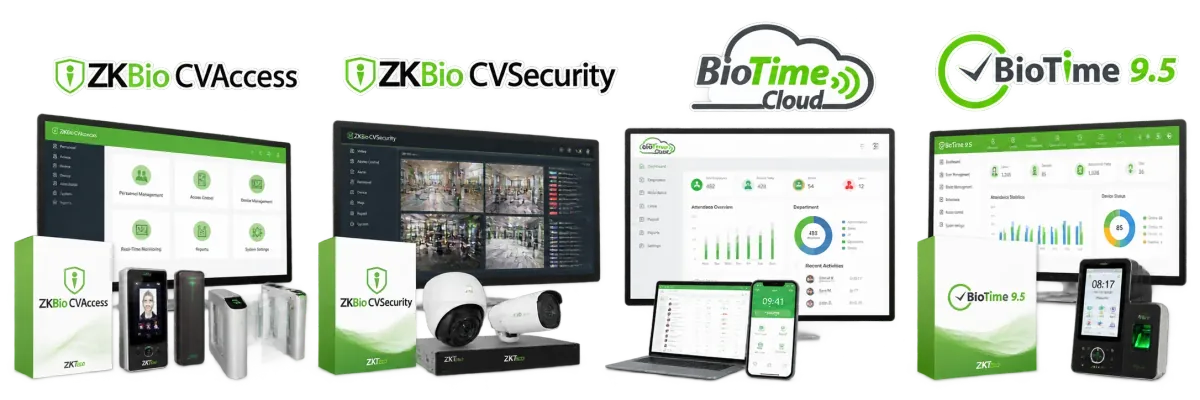
BioTime is ZKTeco's time attendance software: it turns clock-ins into worked hours, overtime and payroll reports. ZKBio CVSecurity is ZKTeco's security platform: it manages doors, access levels, visitors, vehicles, lifts and video across one or many sites. If you only need attendance, choose BioTime; if you need to control doors and entrances, choose ZKBio CVSecurity; if you need both, run the two side by side.
This comparison explains what each platform is for, compares their features, lists the devices each works with and outlines licensing. Features vary between versions, so confirm the details for your project with us.
What BioTime is for
BioTime 9.5 is web-based attendance and workforce management software installed on your own server. BioTime Cloud provides attendance management as a hosted service, and the ZKBioTime mobile app gives staff and managers access from a phone. BioTime collects punches from attendance terminals, applies shifts, breaks, overtime rules, leave and holidays, and produces attendance and payroll reports. Its users are HR, payroll and line managers. Older installations may run BioTime 8.5.
What ZKBio CVSecurity is for
ZKBio CVSecurity is a web-based security management platform. It brings together access control, visitor management, parking and vehicle control, lift (elevator) control, intelligent video, patrol management and an operations centre view, with a mobile app for events, alarms and remote door control. Its users are security, facilities and IT teams who manage many doors, entrances and sites from one place.
Features side by side
| Feature | BioTime | ZKBio CVSecurity |
|---|---|---|
| Main purpose | Time attendance and workforce management | Access control and integrated security |
| Main users | HR, payroll, line managers | Security, facilities, IT |
| Shifts, overtime and leave | Yes, core feature | Limited; depends on version and modules |
| Payroll reports and exports | Yes | Not its focus |
| Door access levels and schedules | Basic, on terminals, in some versions | Yes, core feature |
| Access control panels | Not designed for panels | Yes, compatible models |
| Visitor management | Available in some versions | Yes |
| Parking, lifts and video | No | Yes, as modules |
| Multiple sites | Yes | Yes |
| Deployment | Your server (9.5) or hosted (BioTime Cloud) | Web-based, on a server you control |
| Mobile app | ZKBioTime mobile app | ZKBio CVSecurity mobile app |
Which devices work with each
The software you choose depends partly on the devices, and vice versa. Most ZKTeco terminals connect by push communication, and their firmware decides whether they talk to attendance software (often called TA push) or access software (AC push).
- BioTime: attendance terminals with push firmware, such as the UA300 Pro and UA300, which list BioTime as supported software.
- ZKBio CVSecurity: access control panels from the C3 and InBio families, such as the C3-400 and InBio 460, access terminals with AC push firmware, turnstiles and speed gates, and barriers and licence plate recognition. Compatibility depends on the model and firmware, so check older panels first.
- Both: some terminals, such as the BioFace D1, list BioTime 9.5, ZKBio CVSecurity and BioTime Cloud as supported, with AC push or TA push.
A terminal normally reports to one server at a time, so decide each device's role before installation.
When you need both
Many companies run both platforms: security manages doors, turnstiles and visitors in ZKBio CVSecurity, while HR runs attendance and payroll in BioTime. Common set-ups are:
- Separate devices: readers and panels on doors report to ZKBio CVSecurity; attendance terminals in the staff area report to BioTime. Simple and clear.
- Access events as attendance: where staff pass a turnstile or door every day, those events can feed attendance, within ZKBio CVSecurity where the edition includes attendance features, or by passing data to HR systems. This needs planning.
- Phased projects: start with BioTime for attendance, then add ZKBio CVSecurity when doors, car parks or visitor management follow.
We design this per site, so each device reports to the right system and HR receives clean data.
Licensing overview
Both platforms are licensed products, and the licence must be activated for the software to run beyond any trial period. In general terms:
- BioTime: licensed according to the edition and the size of the system, such as the number of devices and employees. BioTime Cloud is provided as a hosted service rather than a server licence.
- ZKBio CVSecurity: licensed according to the modules you use (for example access, visitor or parking) and the size of the system, such as the number of doors or devices.
- Changes: moving to a new server, adding devices or adding modules usually needs a licence update through your supplier.
We do not publish software prices because they depend on the edition, modules and system size; we quote them together with the hardware. See our price list for hardware guidance.
Which should you choose?
- Attendance only, one or several branches: BioTime 9.5, or BioTime Cloud if you prefer no server.
- Doors, turnstiles and visitors at one site: ZKBio CVSecurity, or ZKAccess 3.5 for a small panel-based system.
- Doors and attendance across several sites: ZKBio CVSecurity for security and BioTime for HR.
- Residential towers and mixed-use buildings: ZKBio CVSecurity, for access, visitors, video intercom and car parks.
Our ZKTeco software guide covers the full range, including ZKBio CVAccess for projects that need access control only. Setting up panels with ZKAccess? See our ZKAccess 3.5 setup guide.
Get advice for your project
Tell us how many doors, employees, devices and sites you have, and we will recommend the software, licences and hardware. We install and support BioTime and ZKBio CVSecurity across the UAE through our installation service. Request a quote or call +971 50 350 1406.